How to Draw Time-Varying Regression Coefficients
Guide 1 of 3 in the series Time-Varying Parameters
Based on Chan and Jeliazkov (2009)
[ Journal Version | Working Paper | Code | Full guide on GitHub ]
In a time-varying parameter (TVP) regression, the coefficients change over time. A state equation sets how they change, for example as random walks or as stationary autoregressions. Steps 1 to 3 let each coefficient follow its own random walk, and Step 4 lets the coefficients revert to a mean. The coefficients of all periods together form the states: k numbers per period, kT in all. The precision sampler draws this whole path at once, in the same three steps as in How to Draw the States of an Unobserved Components Model. Stack the equations, read the precision matrix K and the vector c off the log density, and call ssm.simulate_states. The new parts are the stacked design matrix and the order of the states. In this guide the parameters are known; How to Estimate a TVP Regression by Gibbs Sampling draws them as well.
The steps
- Stack the Equations
- Read K and c off the Log Density
- Draw the Coefficients
- Let the Coefficients Revert to a Mean
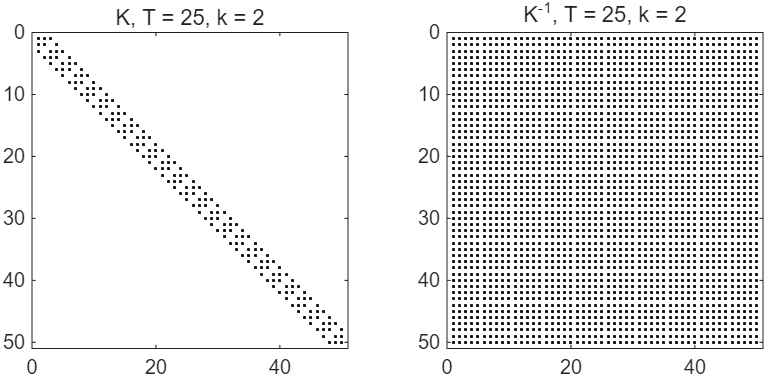
Figure 1: The nonzero entries of K and of K-1 for the TVP regression with T = 25 and k = 2.
Try it
In MATLAB, from the root of a copy of statespace-toolkit, run the script that prints every number and draws every figure of the guide:
run guides/tvp_states/guide.m
In this series
Next: How to Estimate a TVP Regression by Gibbs Sampling